



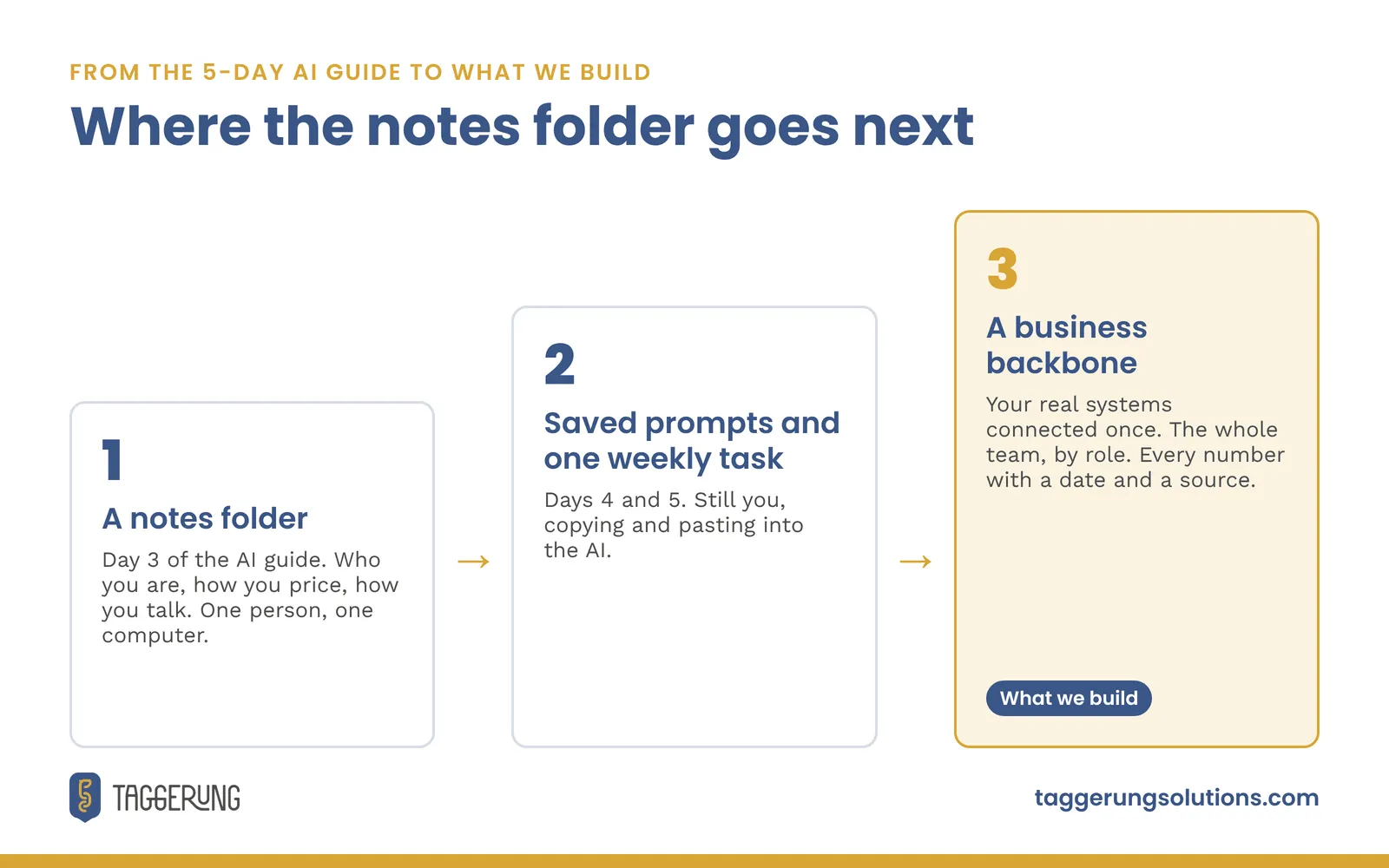
Day 3 of our free 5-day AI guide asks you to write a few plain-text notes about your business. Who you are, how you price, how you talk to customers. You keep them on your own computer so any AI tool can read them. I push that day harder than the other four, because it’s the one that makes AI stop guessing about you.
A few weeks ago I watched a video by Eric Michaud where he takes that same idea a long way. His whole day runs out of plain files in Obsidian, sitting on his desktop. Scripts pull his numbers from YouTube and his other platforms into each day’s note on a schedule, so the numbers are already there when he opens it. His AI agents write down what they did in that same note. Every folder has a short instruction file, so the agent reads a map instead of the whole pile. And every workflow has a findings file the agent has to read before it runs again, so each run starts from everything the last ones learned. It’s a good setup, and if you’re a one-person shop who likes building things, I’d borrow most of it.
I run Taggerung on something built on the same ideas. Where ours goes further is the part that matters once there’s a crew, an office and a set of books involved, and that’s what we build for clients.
Where a personal setup stops
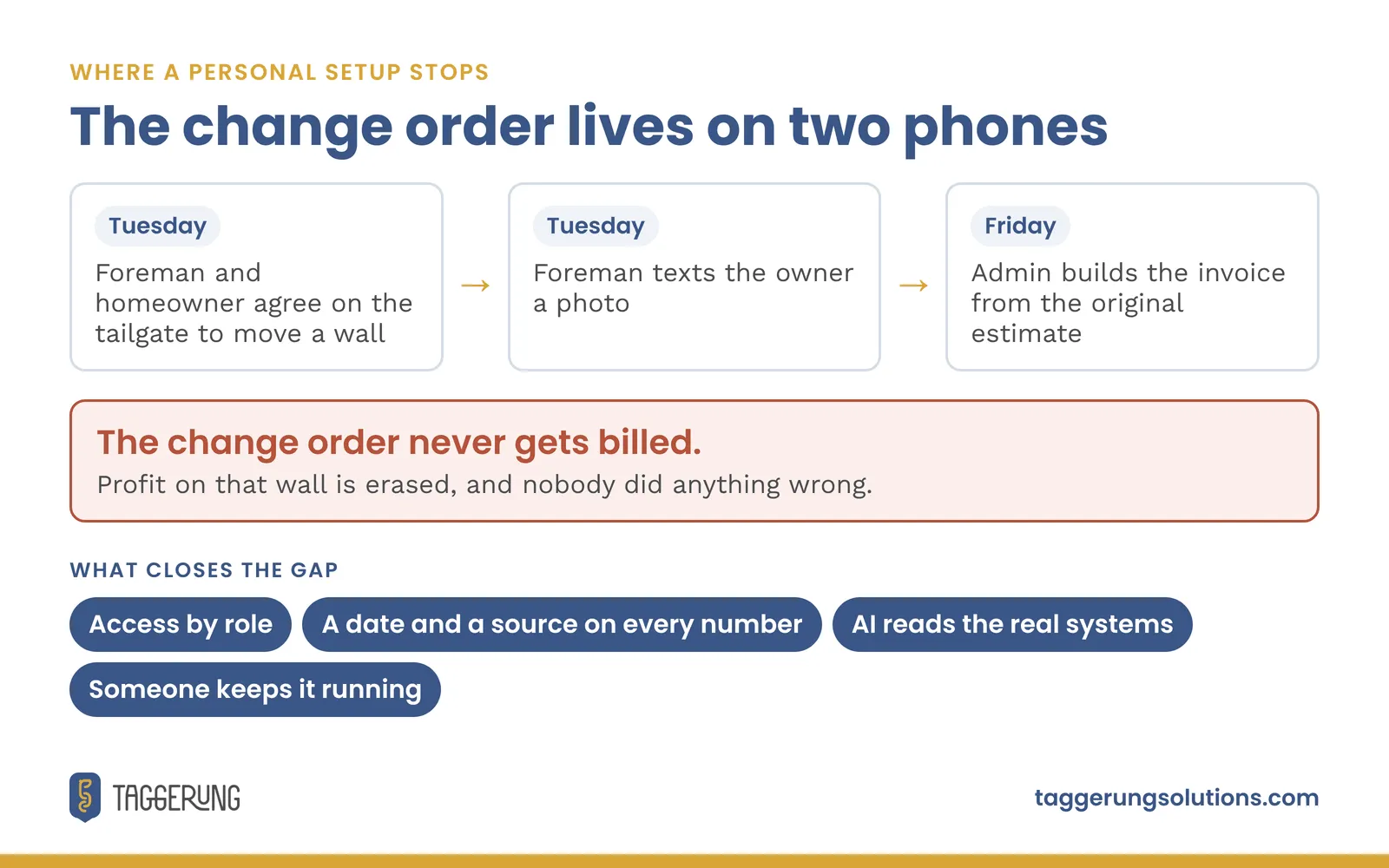
Picture a remodeler with two crews and an office admin. On Tuesday the foreman agrees with the homeowner on the tailgate to move a wall. He texts the owner a photo. The owner means to write it up. On Friday the admin builds the invoice from the original estimate, because that’s what’s in the system, and the change order is still sitting in a text thread on two phones. Profit on that wall is erased, and nobody did anything wrong.
A notes folder on the owner’s laptop doesn’t catch that, however good the folder is. It was built for one person at one desk. The foreman can’t reach it from the truck. The admin can’t rely on it, because there’s no way to tell who last changed it or where a number came from. And the two things that matter, what got agreed and what got billed, sit in different places that nobody compares.
A company needs the same idea with four things added. Everyone gets the access their job needs. Every number carries where it came from. The AI reads the real systems instead of copies someone pasted in. And someone is responsible for keeping it all running.
What we build
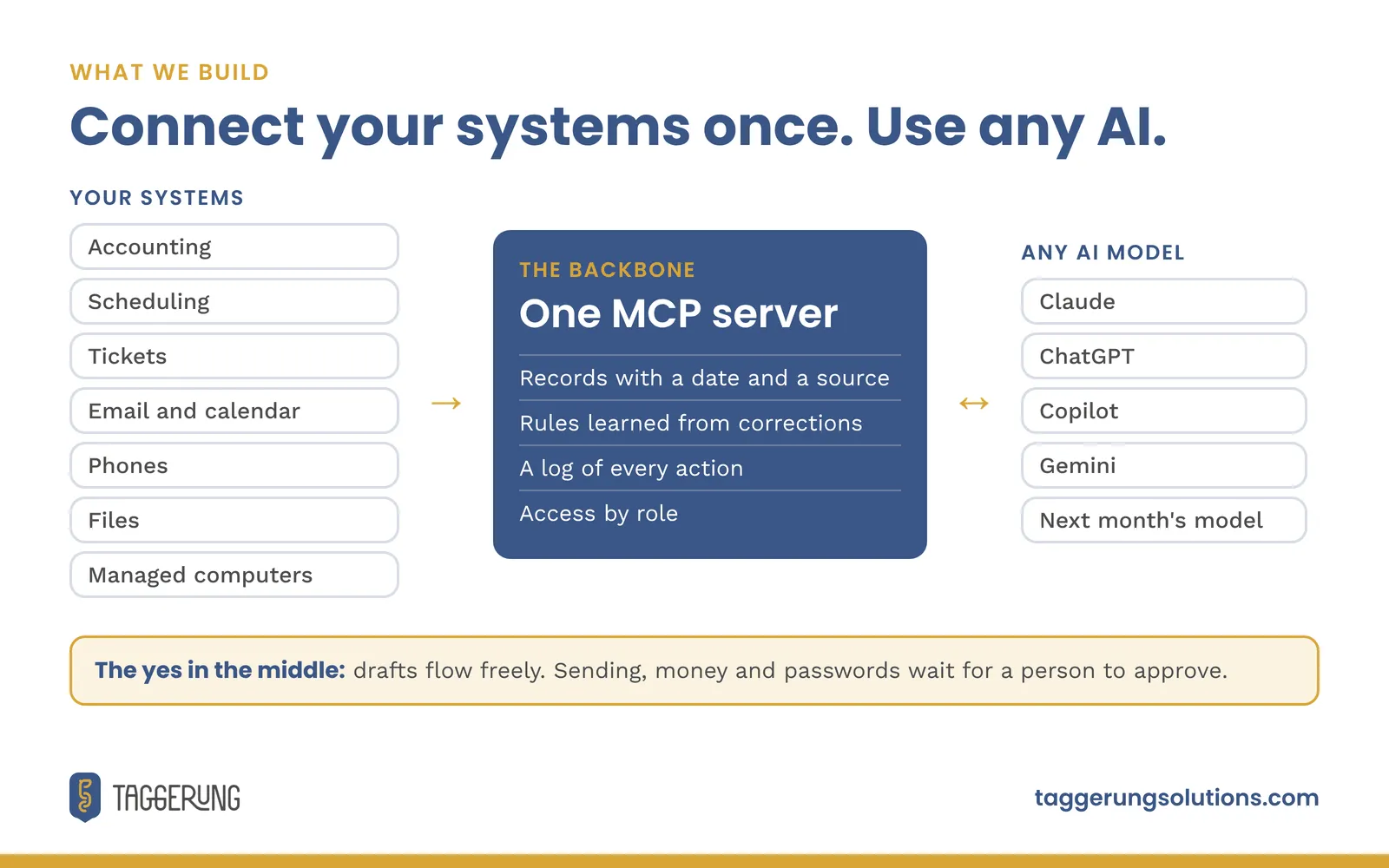
We build a backbone that sits between your business systems and whatever AI you use. On our AI & Automation page we call it an MCP server, which is the standard AI tools use to connect to other software. Your accounting, scheduling, tickets, email, phones, files and the computers we manage connect to it once. The AI connects to the backbone, not to each system on its own. When a better model comes out, switching to it is a setting, and none of the work behind it gets rebuilt.
Three things make it work for a business instead of one person.
Every number has a date and a source
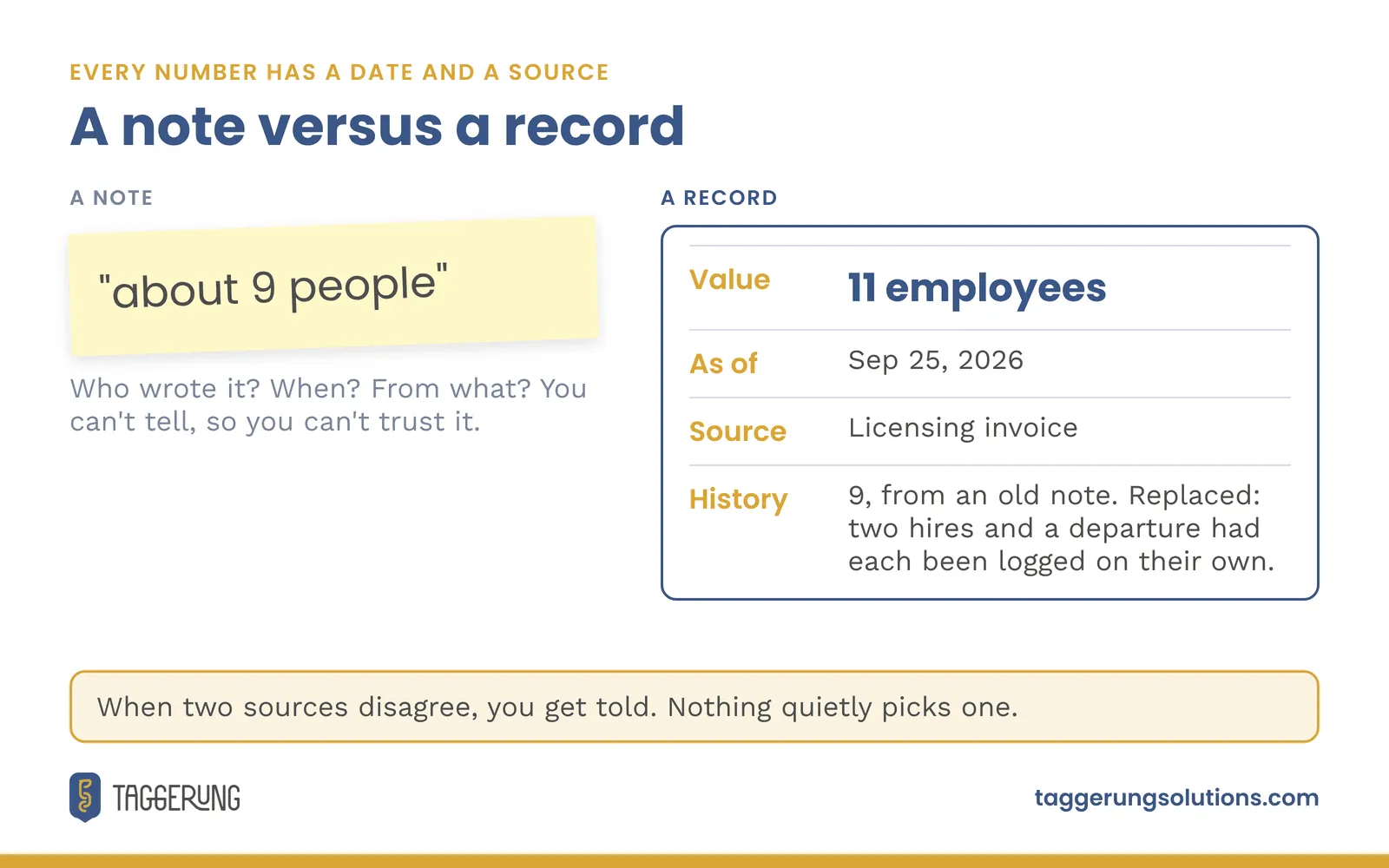
In a notes file, a number is whatever someone typed last. In what we build, a number can’t be saved without the date it was true and where it came from. When it changes, the old value stays in the history along with the reason it changed.
We got this wrong once. Earlier this fall I needed the headcount for one of our clients. Our record said nine, from an old note. Their licensing invoice said eleven. Two new hires and a departure had each been written down as a single person, and nobody had added them back up. Now any employee change at a client sets off a full recount checked against the invoice, and when the counts disagree I get told. It doesn’t quietly pick one.
The same idea runs our billing. On the 20th of every month, before any invoice goes out, the system compares what the books are about to bill against what our records say should be billed. Where the two differ, it shows me both numbers and changes neither. That difference is the reason the check exists.
Your words stay yours
Eric draws a hard line in his setup: a human side the AI can’t edit, and a machine side where it can make all the mess it wants. His reason is the right one. AI has a habit of summarizing what you said into what it thinks you meant.
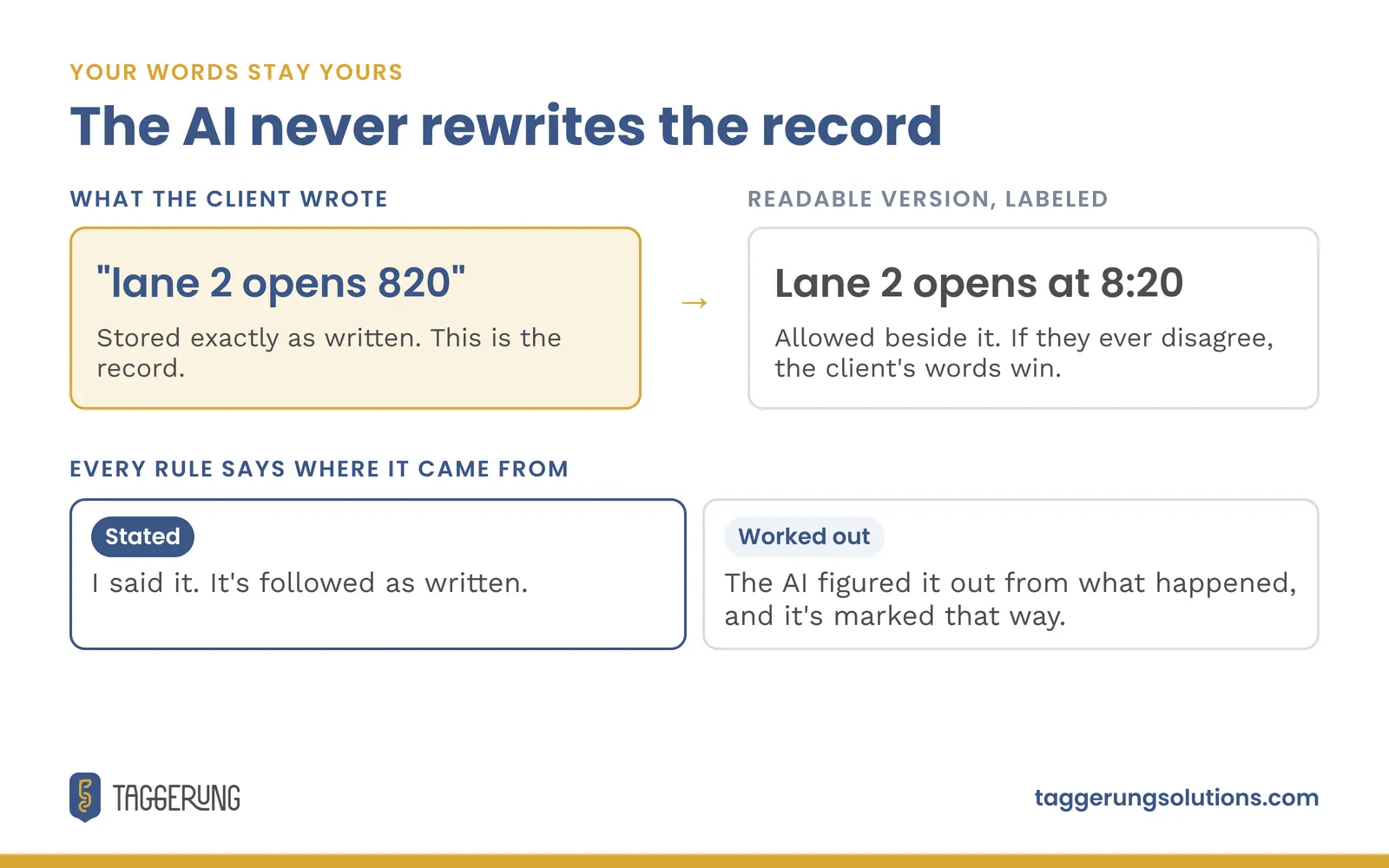
We handle it rule by rule. Every rule the system follows is marked as something I stated or something it worked out on its own. When a client writes down a requirement, it’s stored exactly as they wrote it, spelling and all, and any cleaned-up version sits beside it with a label. If the two ever disagree, the client’s words win.
It waits for a yes where it counts
The AI drafts. It doesn’t send a customer email, move money or touch a password until someone says yes. Every connection gets only the access it needs, and every action is logged. A personal script can do whatever you wrote it to do, and that’s fine when the only person it can embarrass is you.
It gets better every time someone corrects it
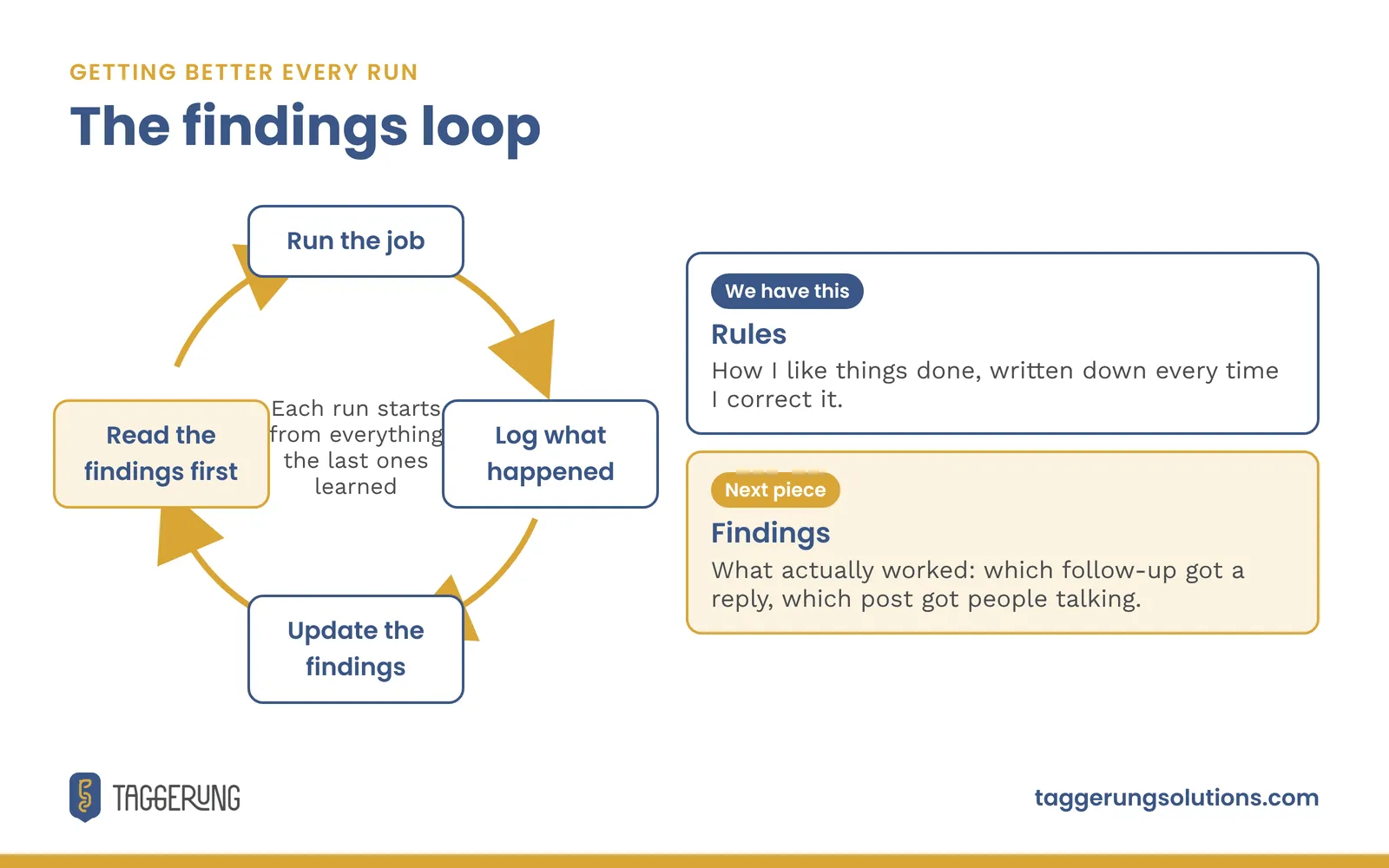
This is the part of Eric’s video I liked most. His agents don’t just follow a workflow. Before they start, they read where things stand and what was learned the last hundred times.
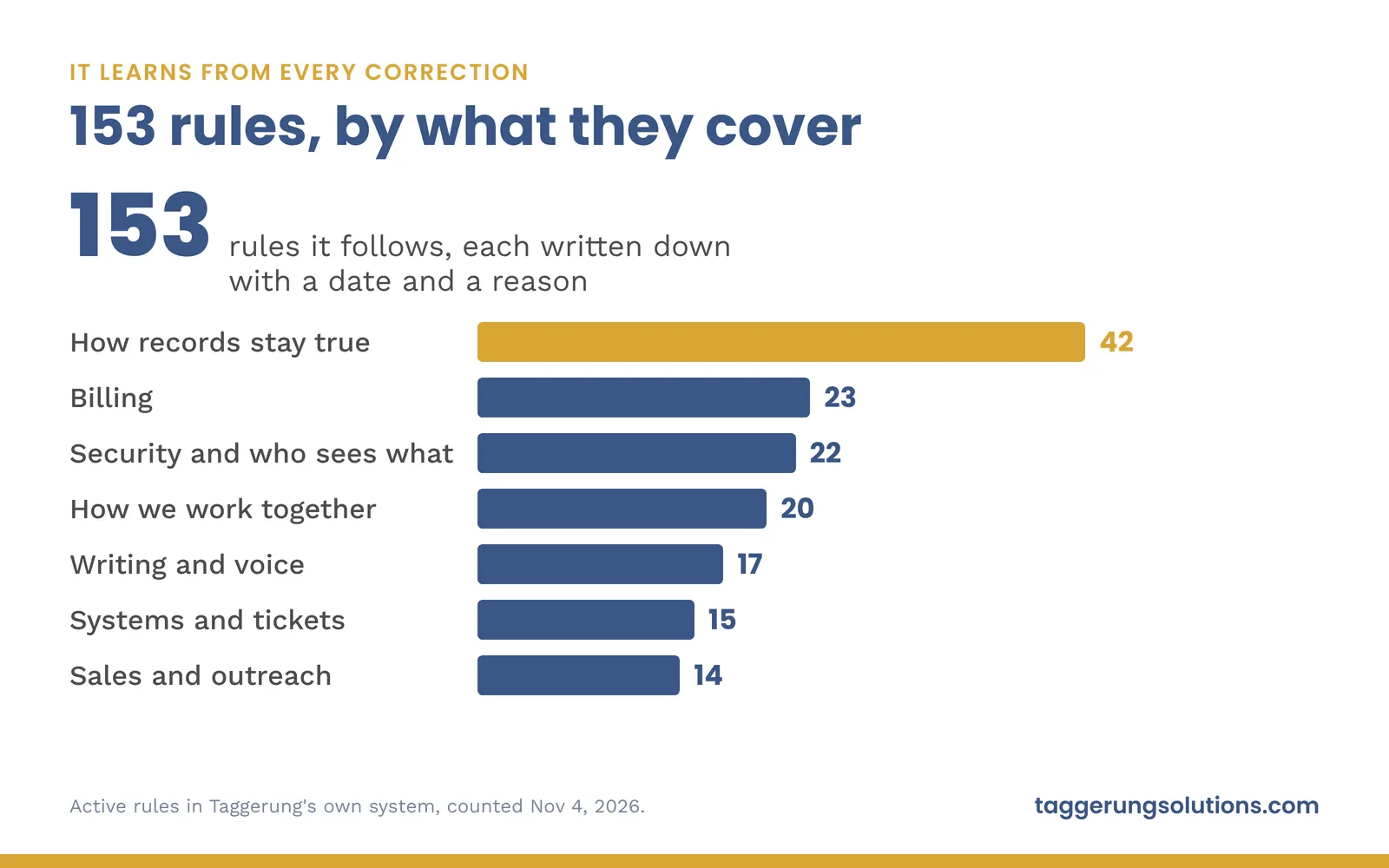
Ours does a version of this already. Every time I correct it, the correction gets written down as a rule, with the date and the reason. As of early November it follows 153 of them. Some are about billing, like billing in 15-minute increments, rounded up. Some are about security and who can see what. A good share are about how I write, so a draft doesn’t need the same fix twice.
What it doesn’t track yet is what landed. Which follow-up email got a reply, which post got people talking. That’s the findings file from his video, and it’s the next piece I want. The rules tell it how I like things done. A findings file would tell it what actually worked.
What it looks like in the morning
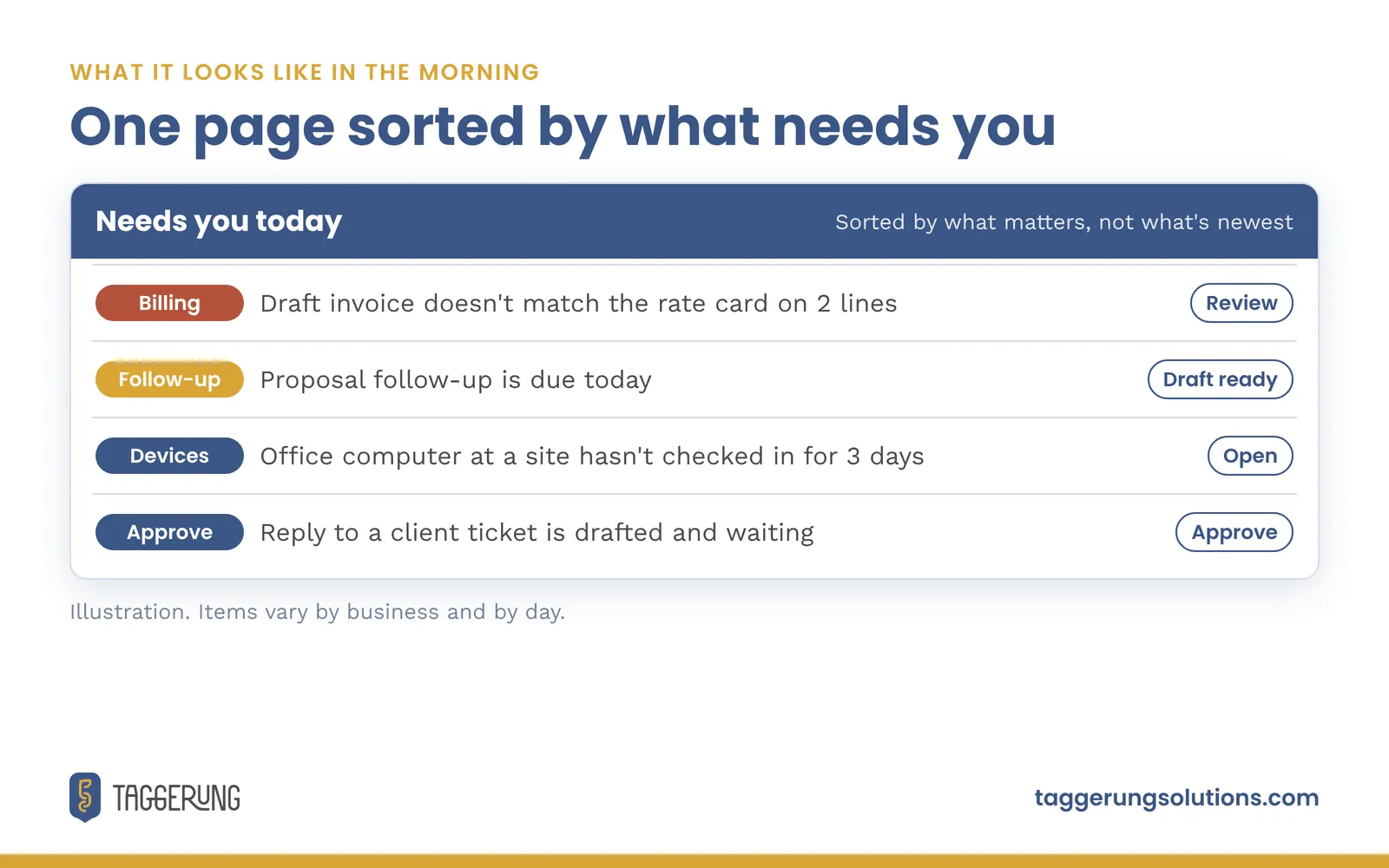
Every morning there’s a page waiting for me. It’s sorted by what needs me, not by what came in last. A draft invoice that doesn’t match the rate card. A follow-up that’s due today. A computer at a site that hasn’t checked in for three days. From that same page I can answer a question or approve a draft, and the work goes where it belongs.
That’s what I care about most in all of this. Saving a few minutes is nice. Knowing where the business stands, and knowing the office and the field are working from the same record, is worth a lot more to an owner than the minutes.
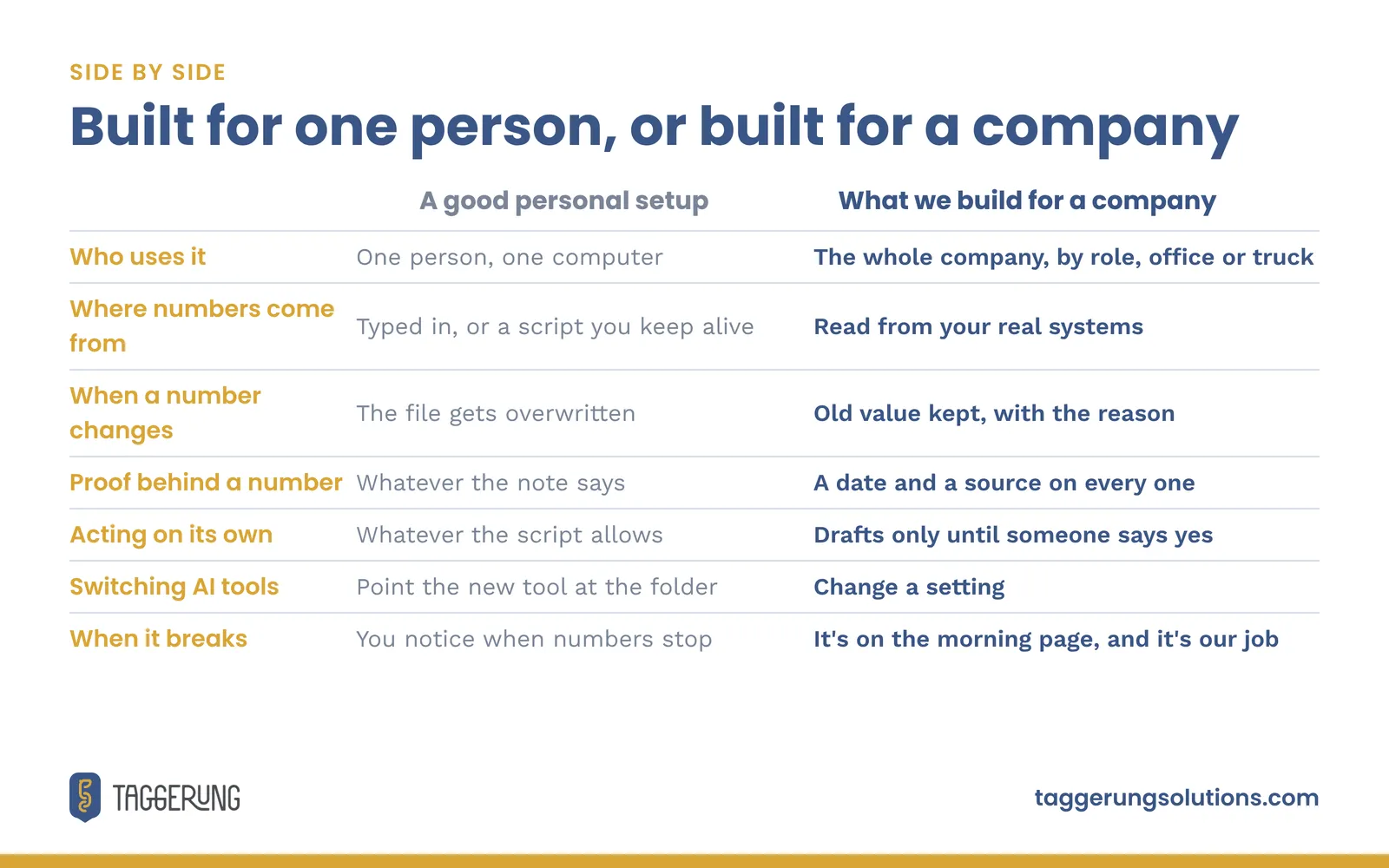
Side by side
| A good personal setup | What we build for a company | |
|---|---|---|
| Who uses it | One person, one computer | The whole company, by role, from the office or the truck |
| Where numbers come from | Typed in, or a script you keep alive | Read from your real systems: books, tickets, phones, devices |
| When a number changes | The file gets overwritten | The old value stays in history with the reason |
| Proof behind a number | Whatever the note says | A date and a source on every one |
| Your words and the AI’s | Two folders, kept apart by habit | Marked on every rule; client words stored as written |
| Acting on its own | Whatever the script allows | Drafts only; sending, money and passwords wait for a yes |
| Getting better | A findings file per workflow | A rule written down from every correction |
| Switching AI tools | Point the new tool at the folder | Change a setting |
| When it breaks | You find out when the numbers stop | It shows up on the morning page, and fixing it is our job |
Who keeps it running
A personal setup is yours to maintain. When the script that pulls your numbers breaks because a password expired, you find out when the numbers stop showing up.
With us, keeping it running is our job. We built ours, we’ve broken it, and we’ve fixed it. This summer the computer we build on got wiped eight times in two days, and we lost nothing, because the record lives off that machine with its full history behind it. When something stops reporting, the morning page says so.
Where to start
If you haven’t done the 5-day guide, start there. It’s free, it’s about fifteen minutes a day, and the notes folder you build on Day 3 carries straight into what we set up later, so none of that work is wasted.
What we build sits on systems we already manage. We get your computers, email and security in order first, and then we connect AI to them.
I have this conversation with contractors around the Willamette Valley most weeks. If you want thirty minutes to look at how your office and your crews could be working from the same record, I’m in Albany and I’ll drive out to your shop. You’ll be talking to me, and we’ll work from whatever you’ve already got running. Book a free walkthrough.
Andrew Allen
Owner & Founder, Taggerung Solutions
Eight years in enterprise IT, seven-plus years in Oregon construction, including General Foreman at Dick Welker Construction. Holds an active Oregon CCB license (#252384). About Andrew →